Domain auto-renewal
How not to lose a domain bought through EasyWeb and manage its renewal yourself.
Right now EasyWeb doesn't support automatic domain renewal directly inside the service. Domains you buy through EasyWeb are actually registered and serviced by the GoDaddy registrar — it sets the registration and renewal prices; EasyWeb doesn't set or change them.
So that your domain never “expires” because of a missed renewal, we offer to move control of the domain to your own GoDaddy account. After that, you see the domain in your GoDaddy account and can turn on auto-renewal and add a payment method yourself — just like for any other domain.
What you need to do
1. Create an account on GoDaddy.com
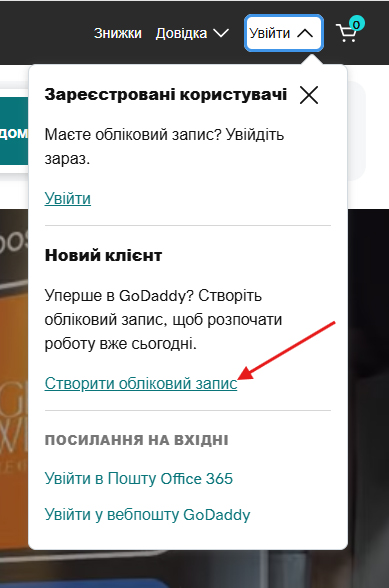
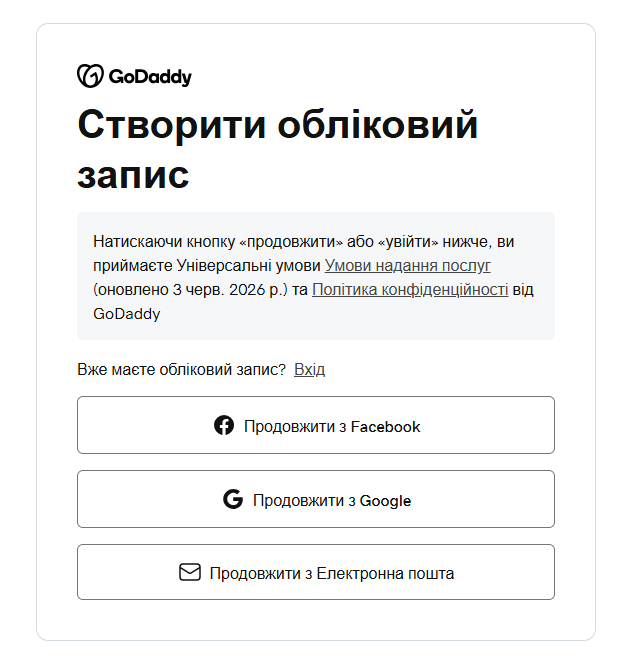
If you already have a GoDaddy account, you can skip this step. If not, click “Sign in” in the top menu of the GoDaddy site and choose “Create an account”.
2. Send EasyWeb support the transfer details
- The email you used to sign up for GoDaddy.
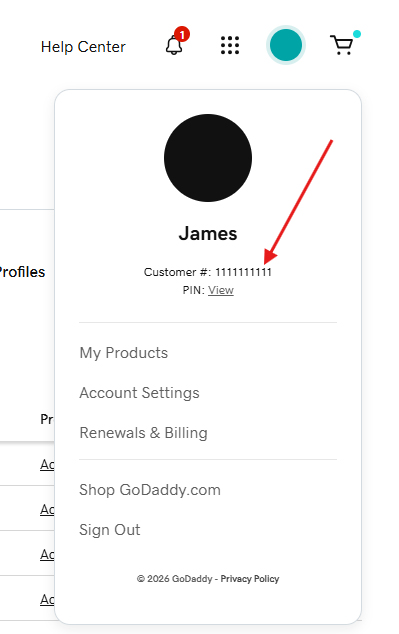
- Your GoDaddy account's Customer ID (shown in the account profile).
- The name of the domain to transfer (for example: site.com).
3. Wait for confirmation from support
We'll move control of the domain to your GoDaddy account and let you know when it's done.
4. Turn on auto-renewal in your GoDaddy account
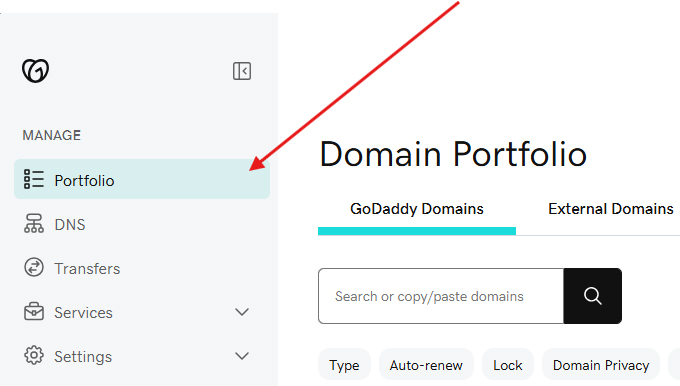
The domain will appear among your domains in the “Portfolio” section. Add a payment method and turn on auto-renewal (Auto-renew) — from then on GoDaddy renews the domain automatically, without EasyWeb.
💡 The domain stays fully yours — EasyWeb only helps technically move its control to a registrar account you can manage yourself.
Frequently asked questions
Will anything change in how my landing page works during the transfer?
We move only the control of the domain to your account — this doesn't affect sites already published. If you notice any changes in how the landing page works after the transfer, write to support right away and we'll check.
I already have a GoDaddy account — what should I send?
Just send the email this account is linked to and the Customer ID from the profile. You don't need to create a new account.
Do I need to pay anything now?
No. Moving control of the domain to your GoDaddy account is free. You'll only pay when you turn on auto-renewal yourself or renew the domain by hand — at GoDaddy prices.
How long does the transfer take?
Usually from a few hours to 1–2 business days after you send all the required details to support.