Where to start creating a landing page?
An overview of templates and main settings. Ready to take the first step? Let's go in order 👇
1. Choose how to create the landing page
Go to “Landing pages”, and you'll have two options:
Option 1: Use a template
- The system already has 50+ ready-made templates for different products, and we try to add more regularly.
- Choose a template → click “Use template”.
You can use templates as they are or as a base for editing.
Option 2: Create from scratch
- Click “Create new”.
- Fill in the main settings (see below).
2. Landing page settings
Once you've chosen a template or created a new one, the fields to fill in open:
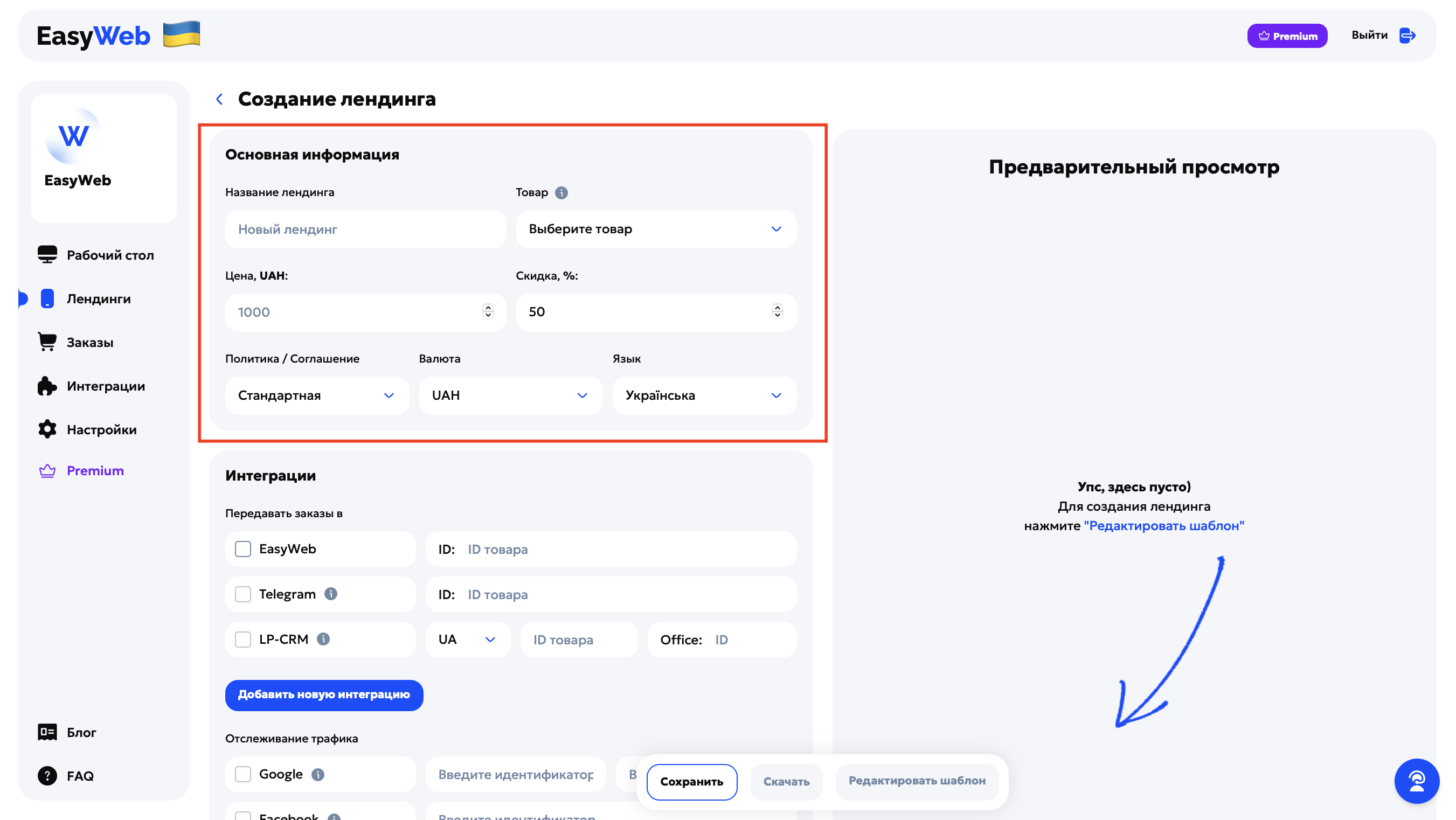
Main information
Landing page name — shown only in the list of your landing pages in EasyWeb, not in the site code.
Product — choose a standard product or create your own.
Price — set as the selling price.
Discount — used to build the old price shown on the site.
Policy / Agreement — choose a ready-made template or create your own (Privacy policy / User agreement).
Currency — shown next to the price.
Landing page language — sets the language of the multi-product block elements and the Checkout page.
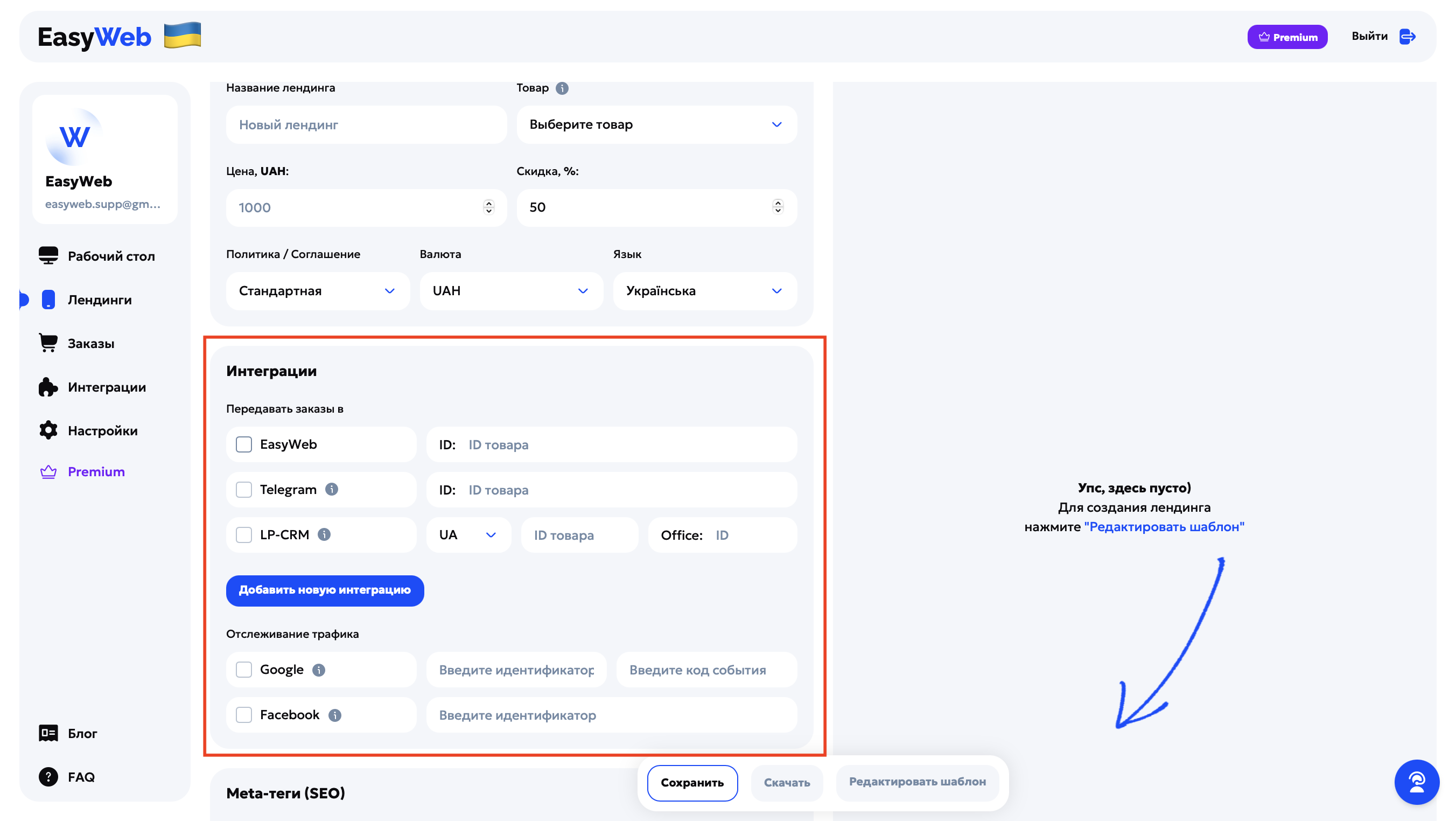
Integrations
Order forwarding — choose where to send orders (Telegram, CRM, etc.).
Event tracking — paste the IDs for Meta, Google Ads (other integrations later) and tick the checkbox of the integrations you need.
Meta tags
These are the technical title and description of the page that search engines (for example, Google) see — and often the user too, in search results, before going to the site.
🏷️ Meta-title
This is the page title in the browser and in search. It affects how Google “understands” your site and what the user sees in search results.
Recommendations:
- Length — up to 60 characters.
- Avoid caps lock.
- Start with what matters most (product name, action, benefit).
- Add keywords if you're aiming for SEO.
Example: “Beard trimmer with an LED screen — 1-day delivery”.
Meta-description
This is a short page description that appears under the title in Google. It doesn't affect ranking directly, but it affects click-through.
Recommendations (length — up to 150 characters):
- Briefly explain what the site is and what the customer gets.
- Don't copy the title, don't write “Just a site…”.
Example: “Order a trimmer with an LED display at 30% off. Fast delivery and cash on delivery.”
Why bother at all?
- Helps Google and Facebook recognize the page better.
- Raises CTR in search (even if SEO traffic isn't your priority).
- Makes the page look more trustworthy.
Don't forget
Click “Save” at the bottom of the page to keep the settings.
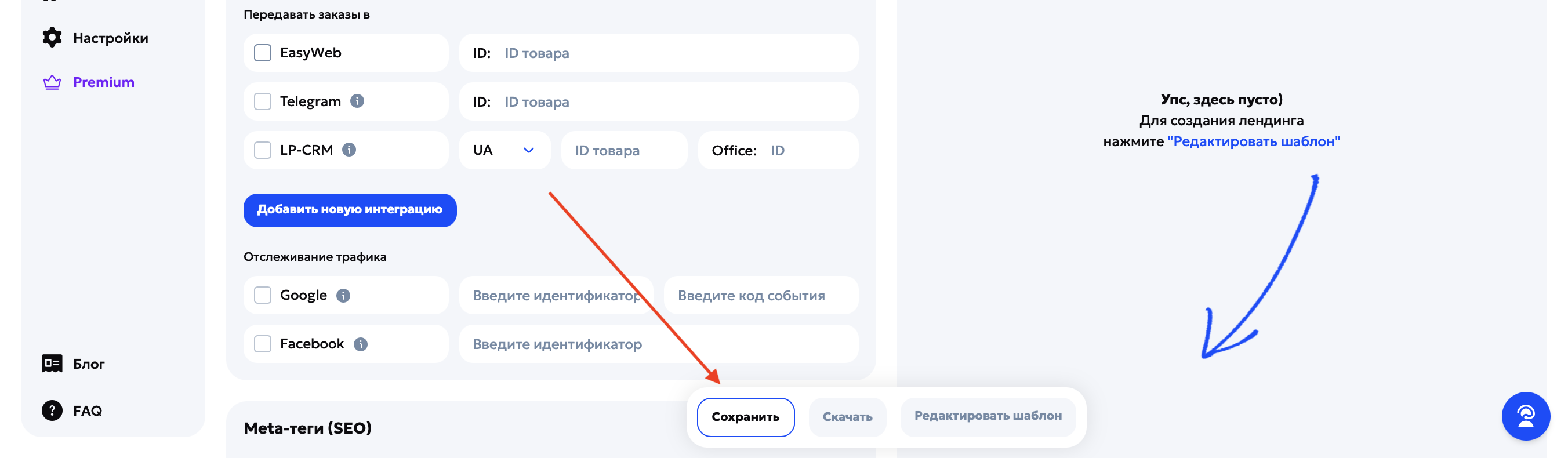
After that, you're ready to move on to editing the landing page design.