How to create a multi-product landing page (catalog landing page)
Several products on one page — with variations, descriptions and buttons.
A multi-product landing page is the most convenient way to present a wide range of products right on one page. The user doesn't need to switch tabs: all they see is a list of products they can browse by simply scrolling the page. This approach not only makes navigation easier but also raises conversion considerably.
This feature is available only on the Premium plan (and higher).
What does a multi-product landing page look like to the user?
Each landing page is linked to a main product, but you decide what exactly to show. If you remove the order form block for the main product, users will see only the items you added to the multi-product block — and can order only from them directly.
Step 1. Prepare the products
Go to “Landing pages → Products” and click “Add / Edit”. Each product you want to show in the catalog must have its key fields filled in:
Product name
Price
Discount
Images — if you add several pictures, they're shown in the product card slider.
Description — a short text of your offer.
Specifications — technical or functional advantages.
Product variations — if a product comes in several colors, sizes, etc., you can add them separately.
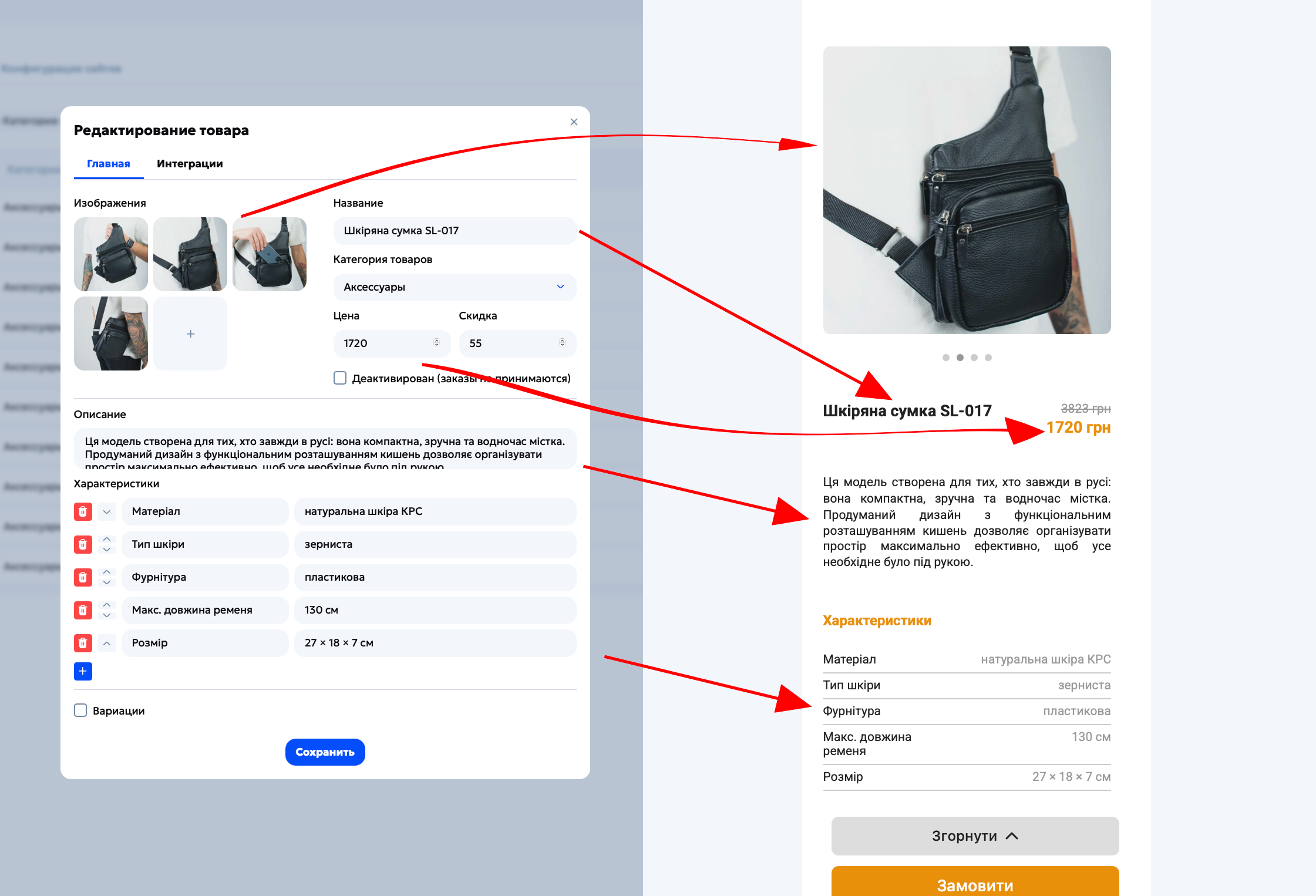
Make all product changes directly in the “Products” section, not in the builder — the information updates automatically in the “Products” block on the landing page.
Step 2. Create a landing page and add products
Go to “Landing pages → Create new” / “Use an existing one”.
Click “Edit template” and add the “Products” block to your landing page.
Click each card in the block to choose the product you need from the drop-down list.
To manage cards (reorder, duplicate, delete), hover over a product card and use the control buttons.
Limit: one block supports up to 25 products. If you want to add more, just insert another “Products” block.
Tip: if card controls don't work properly, click “Done” and then “Edit template” again to reload the editor.
💪 Once all products are added and the setup is done, the site is ready to be downloaded and uploaded to hosting.