Forwarding orders to LP-CRM
Integrating with LP-CRM — a guide to keeping track of customers.
🔥 Integrations are one of the easiest ways to quickly set up data exchange between your landing page and outside services. In this section we'll look at how to forward orders from an EasyWeb landing page to your LP-CRM.
Step 1: Create a product in LP-CRM
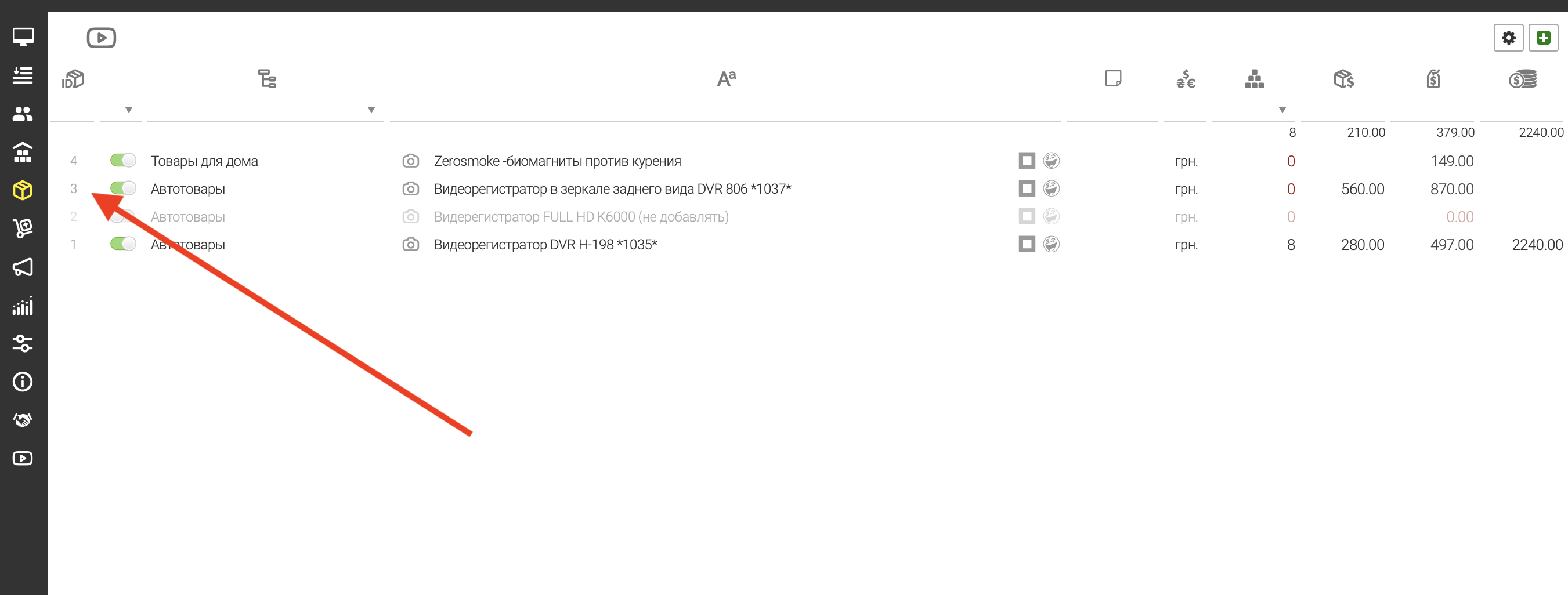
Go to “Products → List” in your LP-CRM.
Create the product you need.
Once it's created, copy the product ID — you'll need it later.
Step 2: Add the same product in EasyWeb
Open “Landing pages → Products” in EasyWeb.
Click “Add” and fill in the required fields.
Go to the “Integrations” tab and paste the LP-CRM product ID you copied earlier.
Click “Save”.
Step 3: Connect the LP-CRM integration
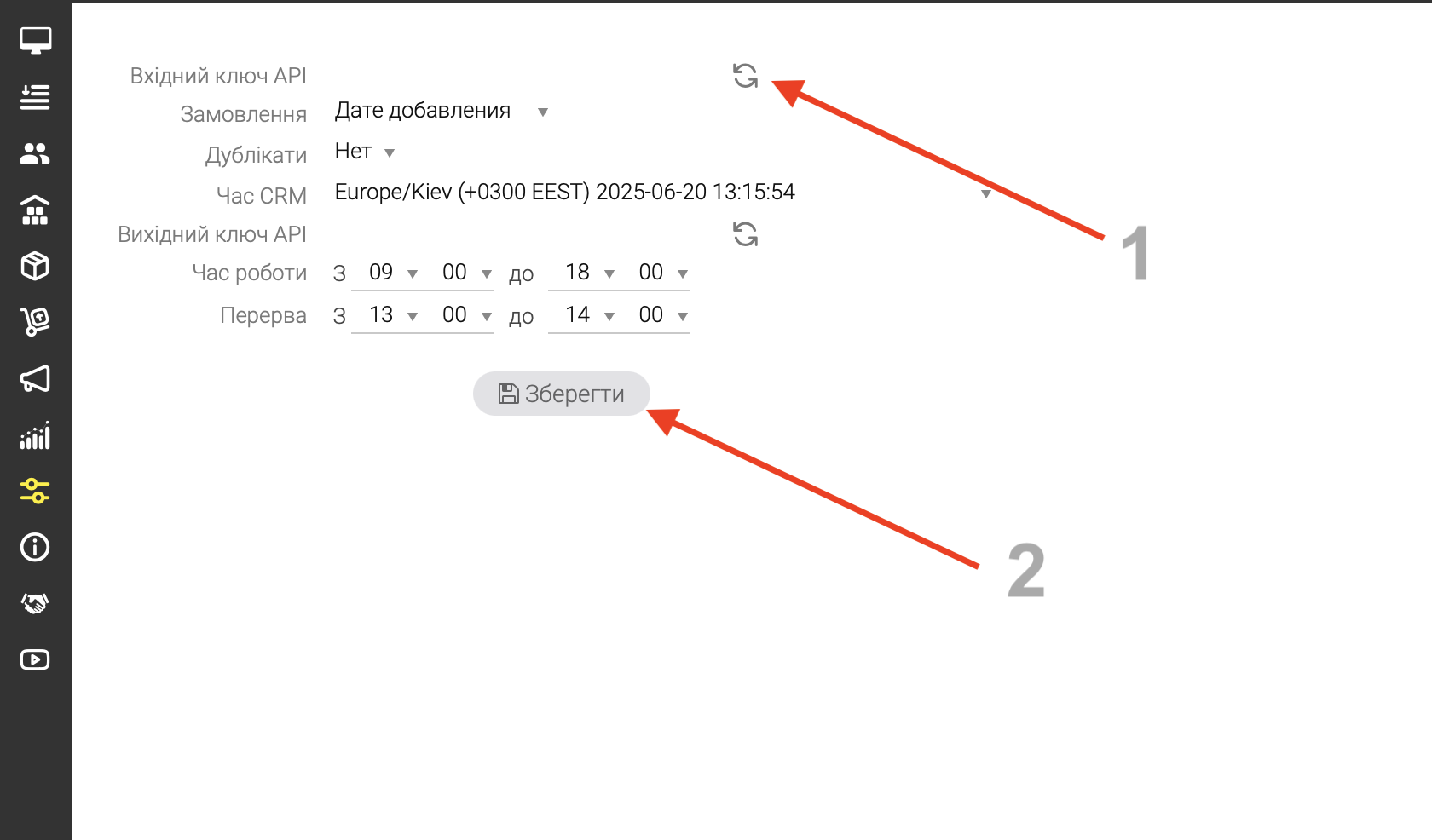
Sign in to LP-CRM and go to “Settings → System”.
On the first line, generate or copy your API key and save the changes.
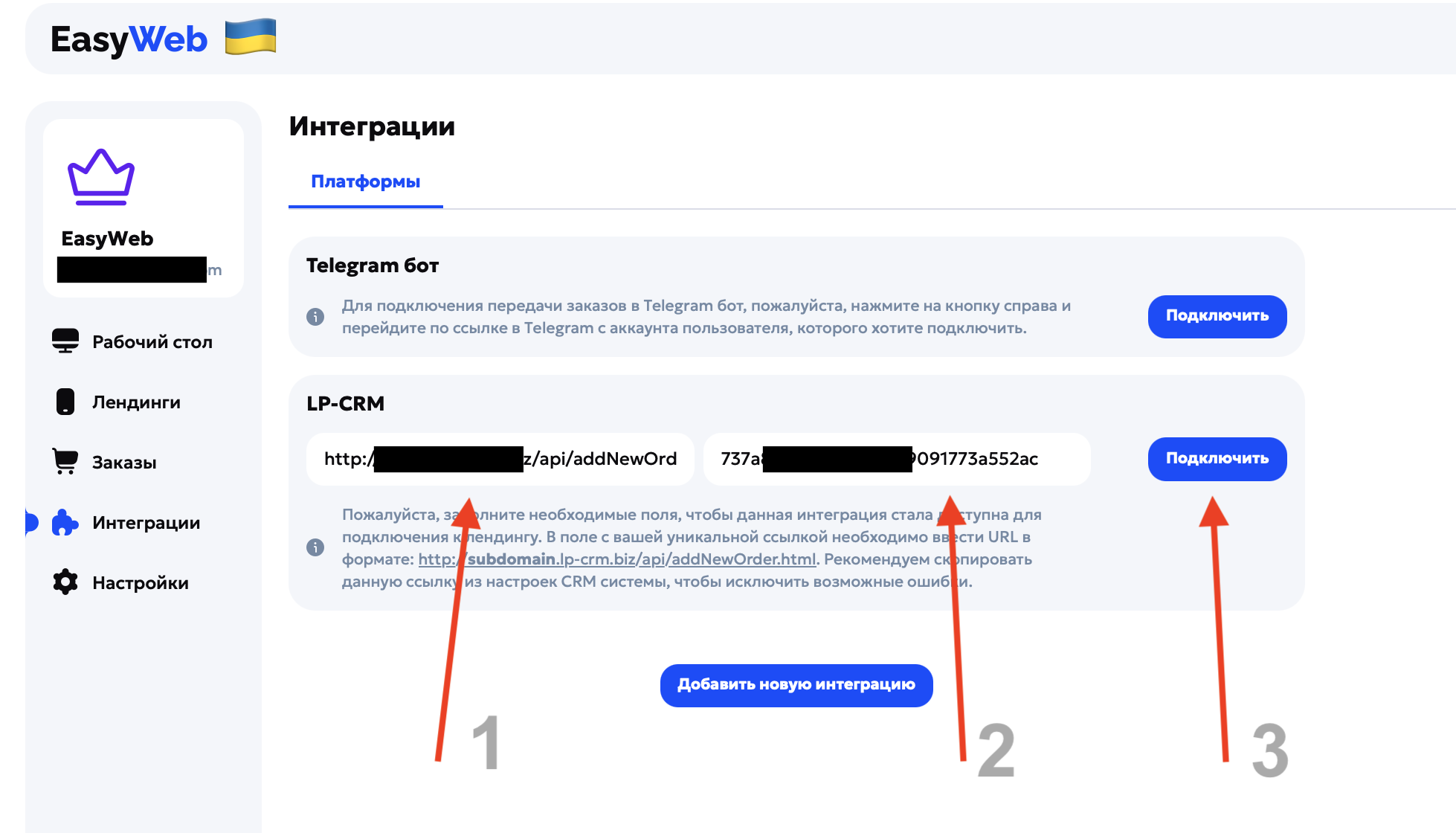
Open EasyWeb → “Integrations → LP-CRM” and paste your API key into the matching field.
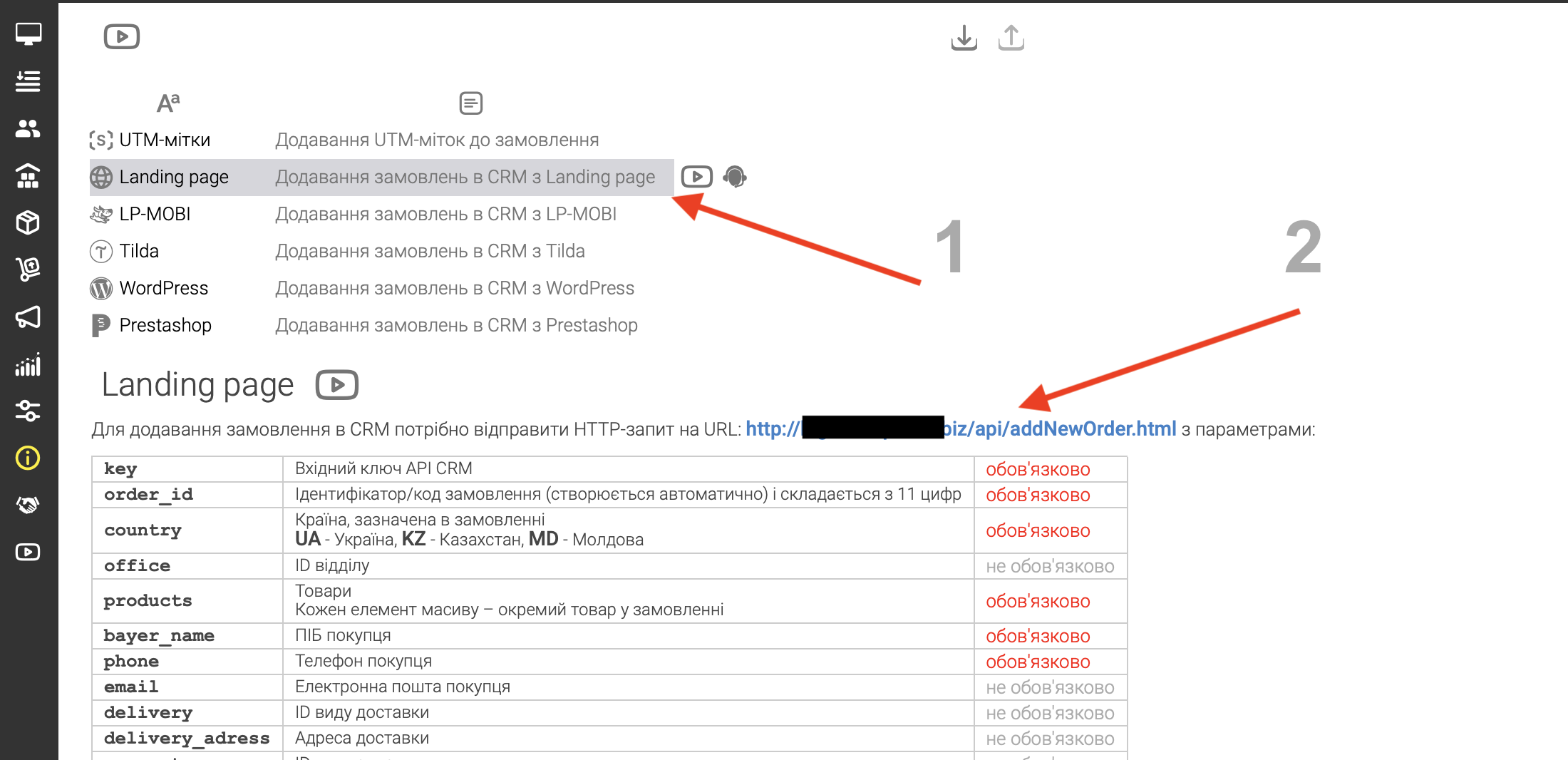
For your CRM link: in LP-CRM, open “API → Adding orders from a landing page to the CRM” and copy the link at the top of the page.
Fill in both fields (the API key and the link), then click “Connect”.
Step 4: Turn the integration on for the landing page
Go to “Landing pages” and choose the project you need.
In the landing page settings, choose the product you created.
Once it's chosen, the LP-CRM ID is pulled into the “Integrations” block automatically.
Scroll to the “Integrations” section, choose LP-CRM and turn it on.
Save the settings.
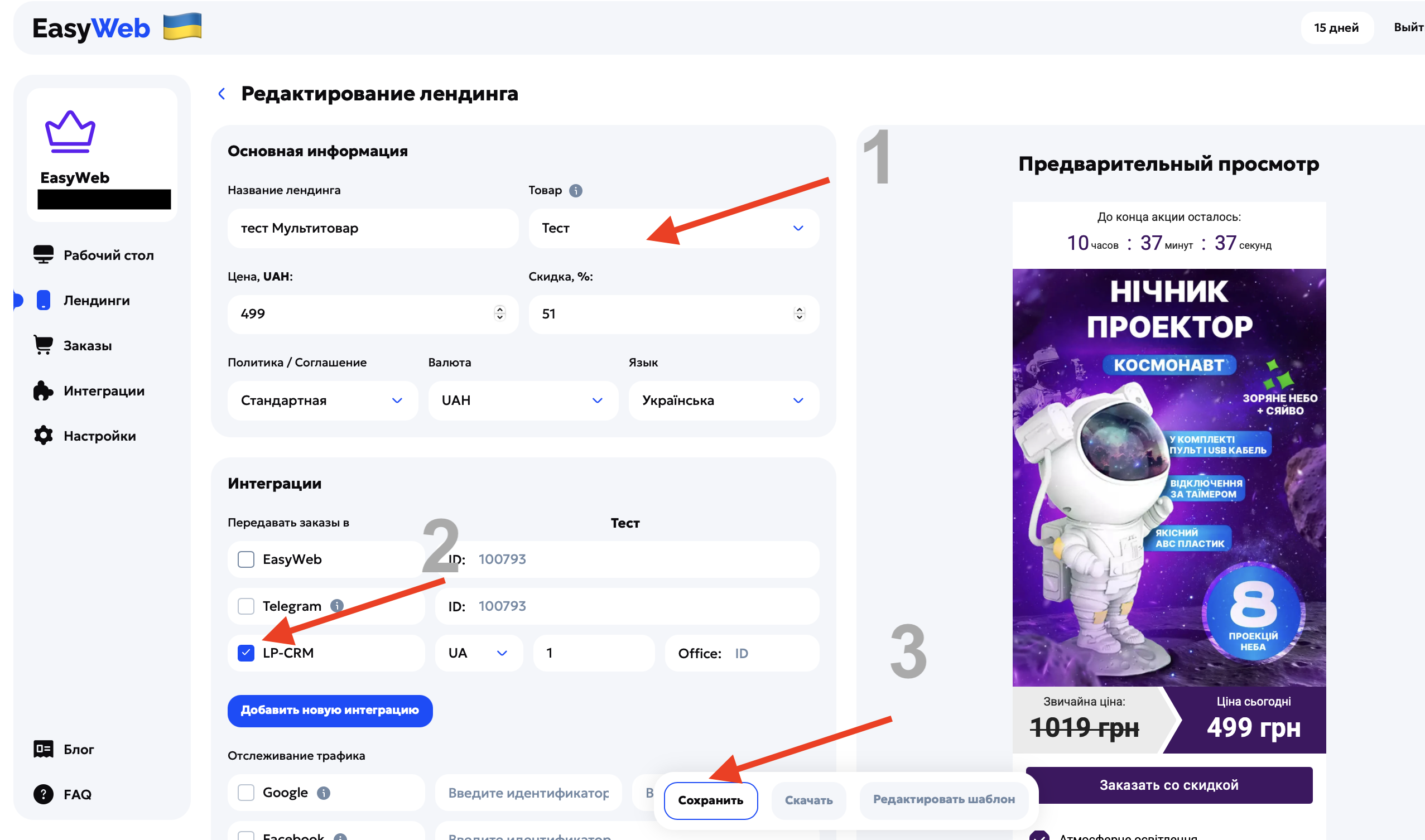
Once the landing page is published on your hosting, all orders are forwarded to your LP-CRM automatically, so they're easy to process and follow up with customers.
📦 Your landing page is now linked directly to LP-CRM — no missed orders.
⚠️ Note: right now the LP-CRM integration only forwards customer data (name, phone, product). Product variations (for example, size, color, volume) aren't forwarded.